
Give clients a window, not a key
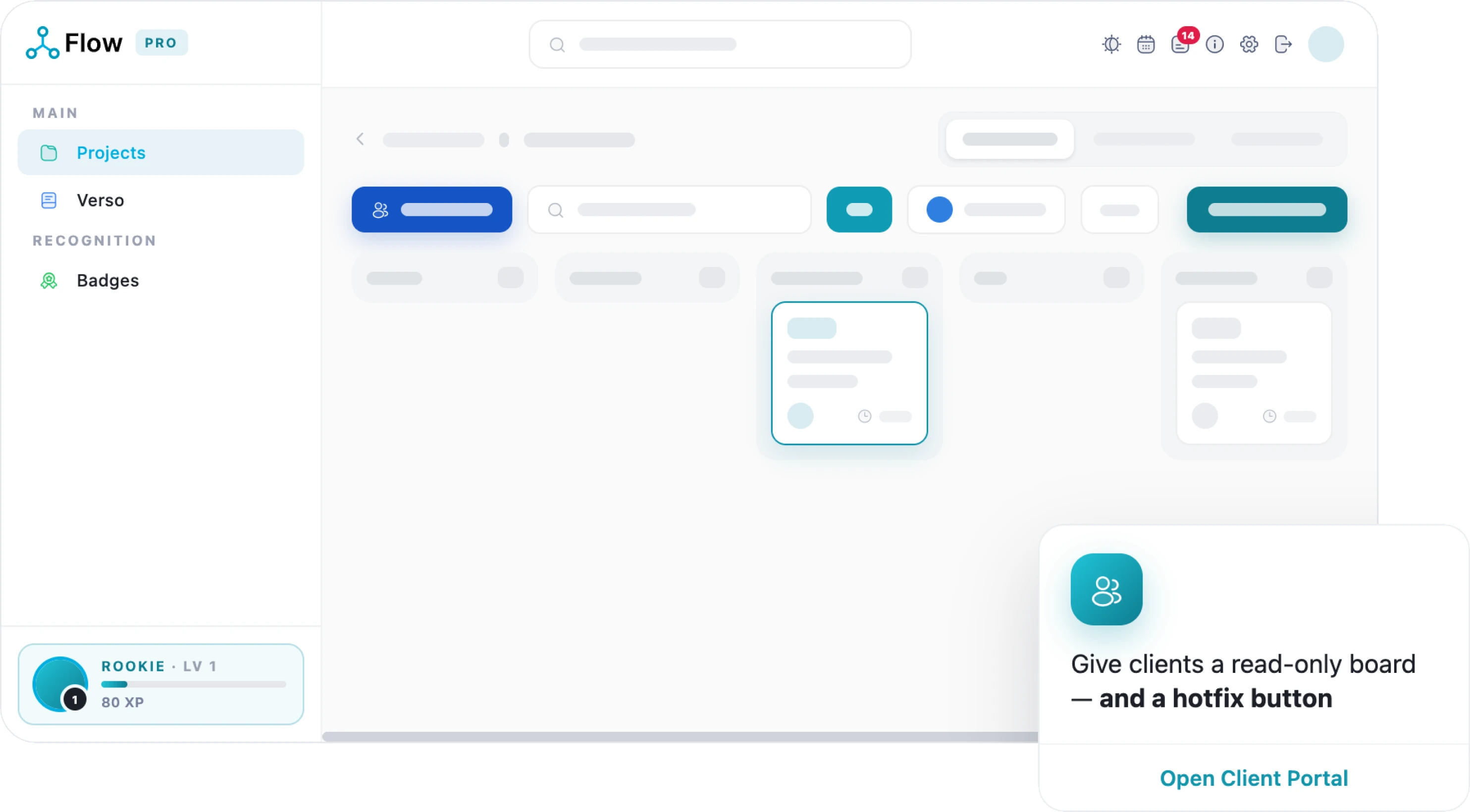
Clients get their own reduced portal, board, scope and sign-off.
What makes us unique
Why choose LivexFlow
-

21
Modules, one platform
-

99.98%
Uptime, SA-hosted
-

POPIA
Compliant
-

ISO 27001
Certified · audited by BSI
Every client decision, sealed as a document
Approve or reject in the portal and the decision becomes a sealed, verifiable PDF record. A sign-off record for an approval, a rejection record for a rejection, each carrying its reason, each something anyone can verify later.
- Sealed approval
- Rejection, with a reason
- Verified by the client
Two worlds, one project
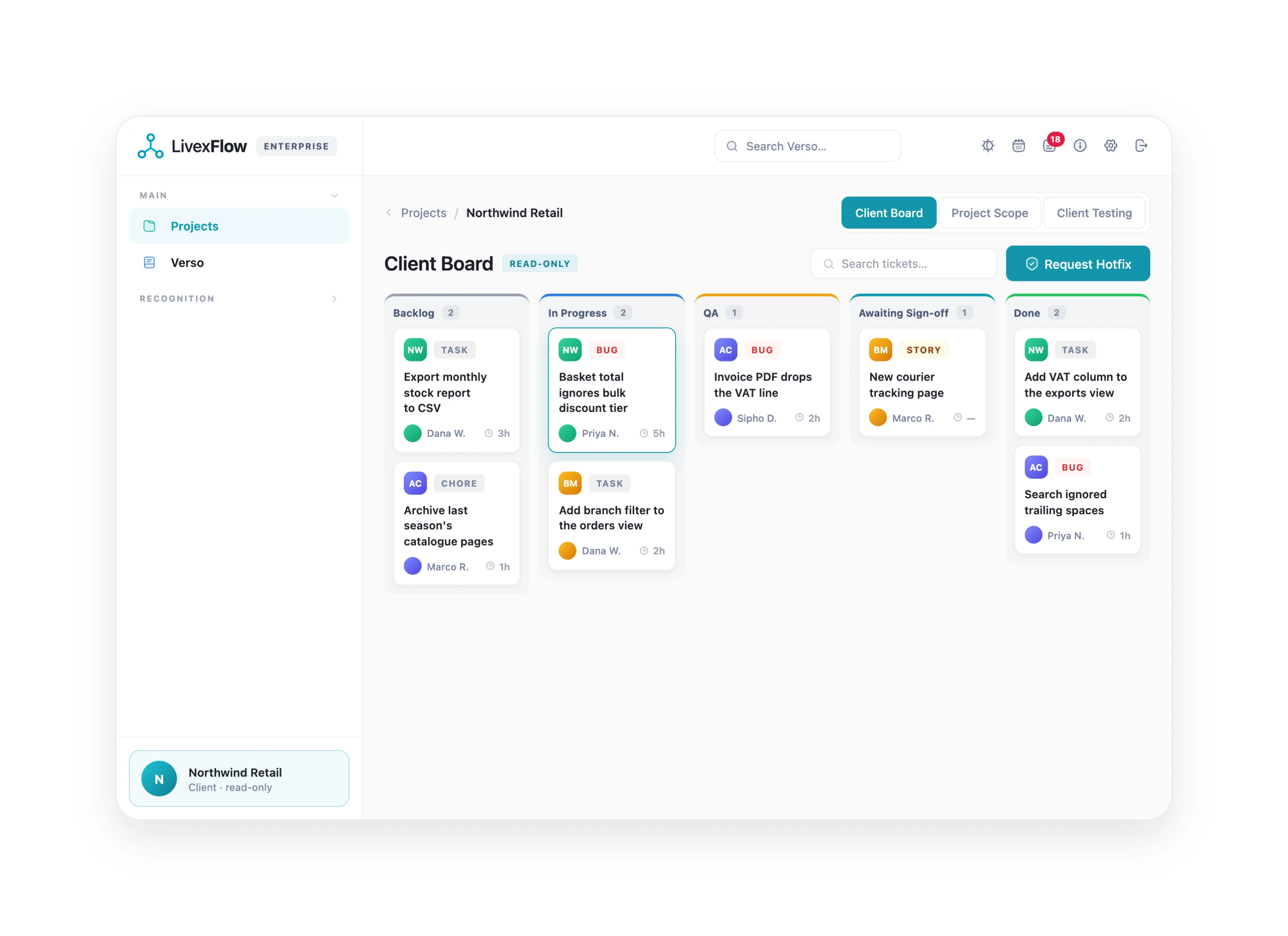
Your chaos stays yours. Their calm stays theirs. Clients see only what you publish, on tabs built for them, never your internal delivery screens.
-

A calm client board
A simplified board showing only the tickets you have explicitly published, keeping the view focused and easy to follow. Comments, updates and ticket history stay connected, so everyone can see what has changed and keep track of the conversation.
-

Their own tab bar
Give clients a focused view of the work with Client Board, Project Scope and Client Testing tabs instead of exposing your internal delivery workspace. Keep client communication, scope visibility and testing organised in one dedicated space, while your team keeps the internal delivery process private.
-

A reduced dashboard
A focused widget catalogue designed for client-facing projects, showing only the information they need to see. Internal team metrics and sensitive delivery data stay private, so clients get a clear, relevant view without exposing your internal operations.
-

Scope, formally answered
A dedicated page where clients can review the submitted project scope, then formally accept or reject it. If they reject the scope, they must provide a written reason, keeping feedback clear, documented and connected to the project.
-

Comment and follow
Clients can comment directly on the tickets they can see, keeping feedback connected to the work while automatically notifying your team. They can also raise issues against their own projects, giving everyone a clear, documented place to track and resolve concerns.
-

Member projects only
Clients only see the projects they are explicitly a member of, keeping access focused and secure. Internal estimates, time logs and team threads remain private to your delivery team, so clients see only the information relevant to their project.
How LivexFlow Works
One short walkthrough, from setting a project up to shipping it.
LivexFlow pricing
Start free. Yes, Freeee!
Grow when the work does
Simple, transparent pricing per person, per month, all in rand. Save 20% when you choose annual billing and get more value from every seat.
-
Free
R0
Kick off your first project
Start Free -
Team
R199
Unlimited projects for your whole team
See what’s inside -
Most Popular
Pro
R349
The full delivery engine, with proof
See what’s inside -
Enterprise
R697
Governance for larger portfolios
See what’s inside
A window, not a key
Client trust, by design.
-

Walled off at the server
Clients are redirected away from internal screens at the server level, ensuring they can never access your team’s internal workspace. Client isolation is built into the platform’s access controls—not simply hidden through styling or interface changes.
-

A calm board for clients
Clients see only the tickets you have explicitly published to them, keeping internal work safely out of view. Comments, updates and ticket history remain connected, giving clients the context they need without exposing your internal delivery process.
-

Scope, formally answered
Clients can formally accept or reject the submitted project scope, keeping approval clear and documented. Any rejection requires a written reason, giving your team specific feedback to review and address.
-

Sign-off with a seal
Approvals and rejections generate sealed, verifiable documents that create a clear record of every decision. Anyone with access can independently check the document and confirm that the decision has not been altered.
Keep exploring LivexFlow
See how LivexFlow turns everyday project management into a smoother, smarter experience.
